 Enlyzr
MyChronoWorks
Programmable timers: phases, cues and schedules
MyChronoWorks makes time programmable. Instead of asking how long, it asks what should happen over time. Every timer, stopwatch, interval workout or alarm is a job: a timeline of phases, with cues attached to moments in it. It works completely offline: no account, no ads, and no internet permission at all.
For Android 12 and newer. Free, with no ads and nothing to buy.
- 7ways to start a job: by hand, delayed, daily, weekly, on the clock, by a clap, after another job
- 5game clocks: chess, Go, shogi, backgammon and Scrabble
- 4home-screen widgets, and a Quick Settings tile
- 8languages, from English and Čeština to Português and Slovenčina
What is in the app
Jobs made of phases
A job is a timeline of phases such as work, rest and preparation, with repeat blocks like work and rest eight times over. Timers, stopwatches, interval trainers and alarms are all jobs. Build one in a step-by-step wizard or in the full editor, and try it on a virtual clock before you run it.
Cues at any moment
A cue can beep, vibrate, speak, ring a bell, a ringtone or your own audio file, flash the torch, post a notification or colour the whole screen. It fires at the start or end of a phase, after or before a set time, every so often or at random, and it can act differently with headphones, low battery or a silent ringer.
Templates to start with
Sport, Health, Cooking, Work and Chimes templates such as HIIT, Tabata, Pomodoro, Tea, a Stopwatch with laps, a Speaking timer, a Talking clock and Ship's bells. Tap one, adjust its values, press Start. The app remembers the values you used last.
Many jobs at once
Tea, eggs and laundry can count down together, even the same job twice, each with its own card and its own notification with controls. Jobs can start other jobs, and a group starts several with one tap.
Start by sound
Give a job a sound trigger, a clap or a whistle, or clap during a run to take a lap or skip a phase, hands-free. The microphone listens only while the app is on screen, and nothing is recorded.
Game clocks and instruments
A chess clock with Fischer, Bronstein and delay timing and your own saved time controls, and clocks for Go, shogi, backgammon and Scrabble. Beside them a tally counter that timestamps every press, a pace calculator and countdowns to the dates that matter.
World clocks and meeting planner
See your cities as a list, as tiles with analog, digital or binary faces, or as a day planner that shows where working hours overlap and suggests the best times to meet. A slider moves every clock together. The city list is built in; the app never uses your location.
History and ChronoLab
Every run is recorded with its event log, its laps and how late each cue fired, with insights per job and sharing as CSV. ChronoLab checks the system settings that timers depend on and measures how punctual cues are on your phone.
Widgets, tile and themes
Home-screen widgets for a job, your clocks, a binary clock and a countdown, a Quick Settings tile, and launcher shortcuts for a new job. Night and Day themes with a choice of accent finishes, and high-visibility text.
A look at the app
A job running: the ring shows every phase 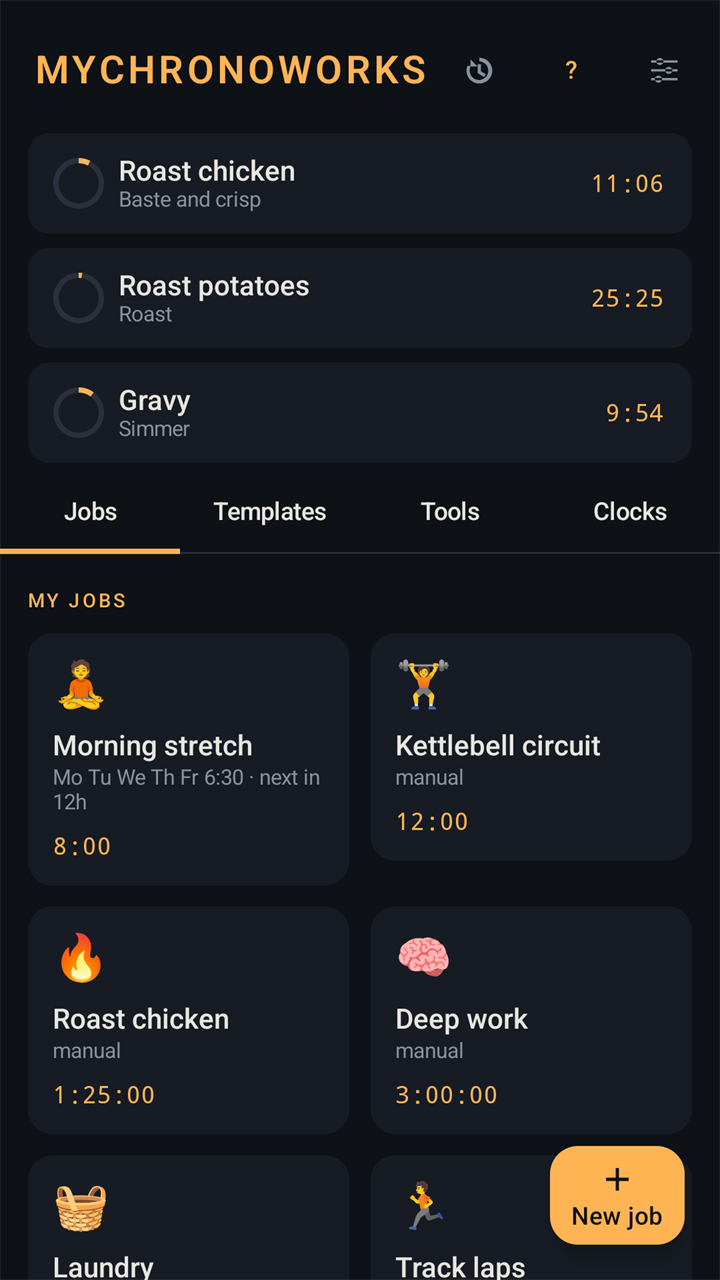
Several jobs at once, started with one tap 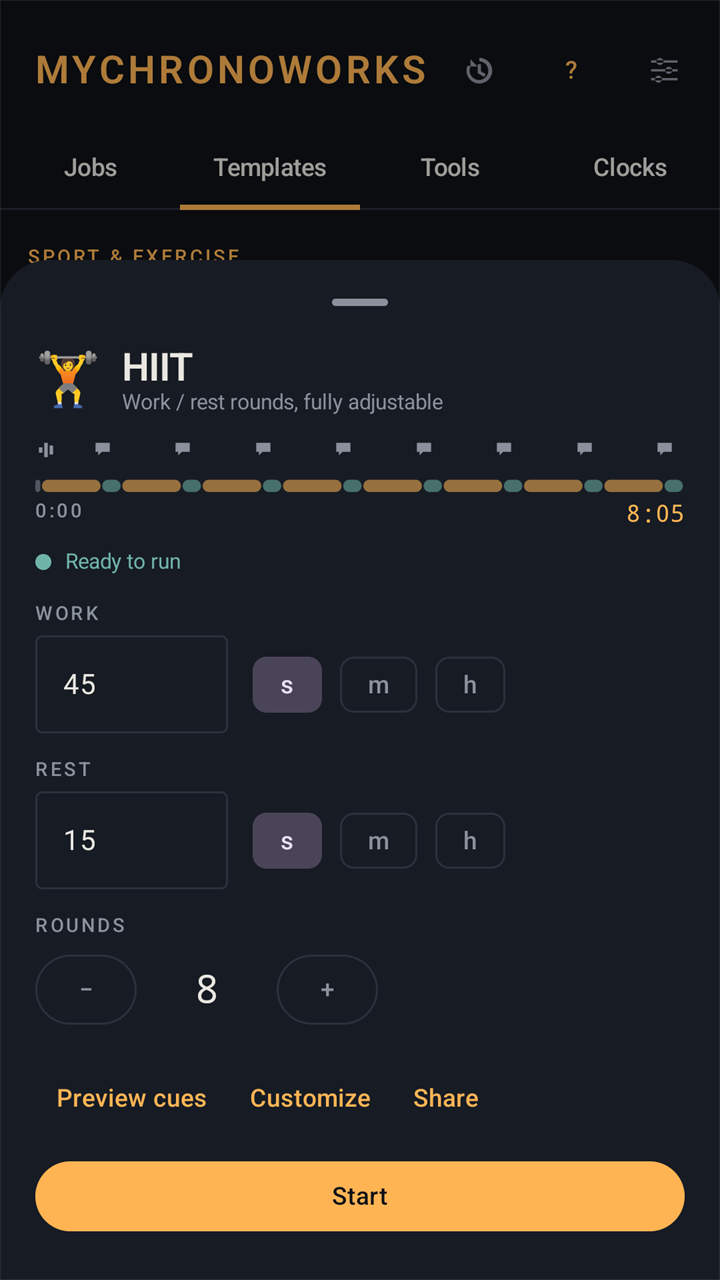
A template: adjust the values and press Start 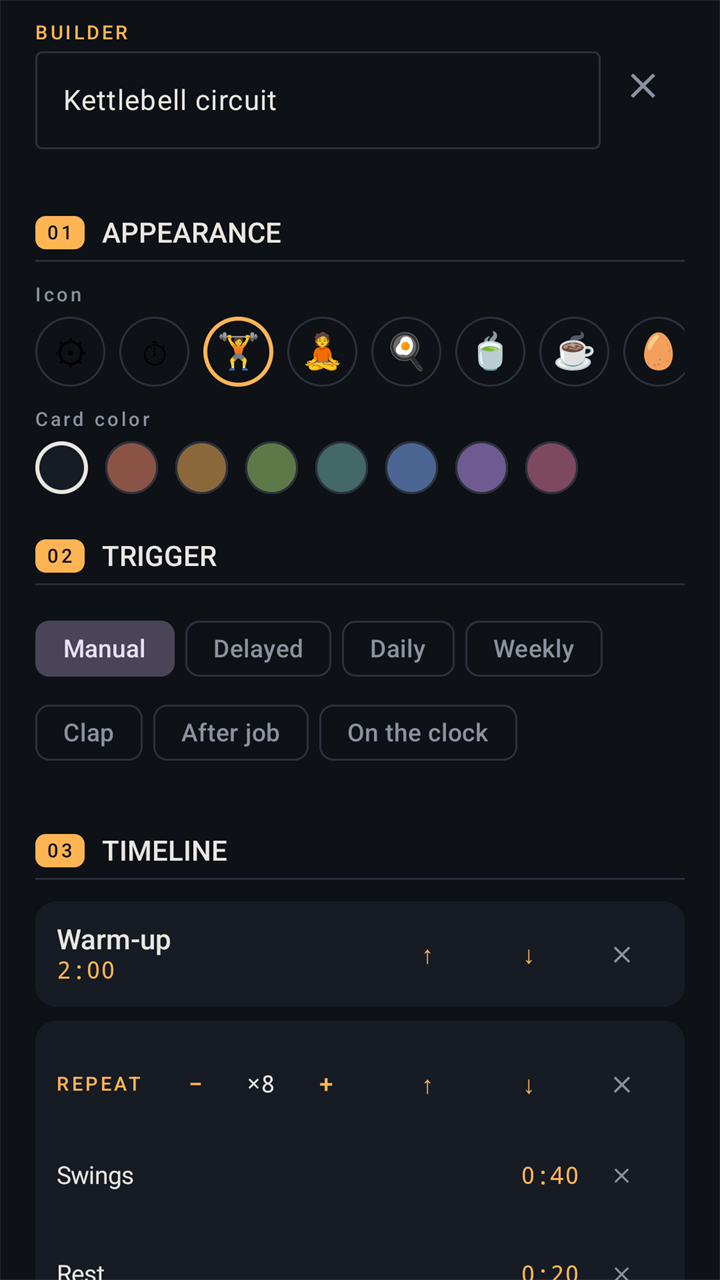
Build your own: triggers, phases and repeat blocks 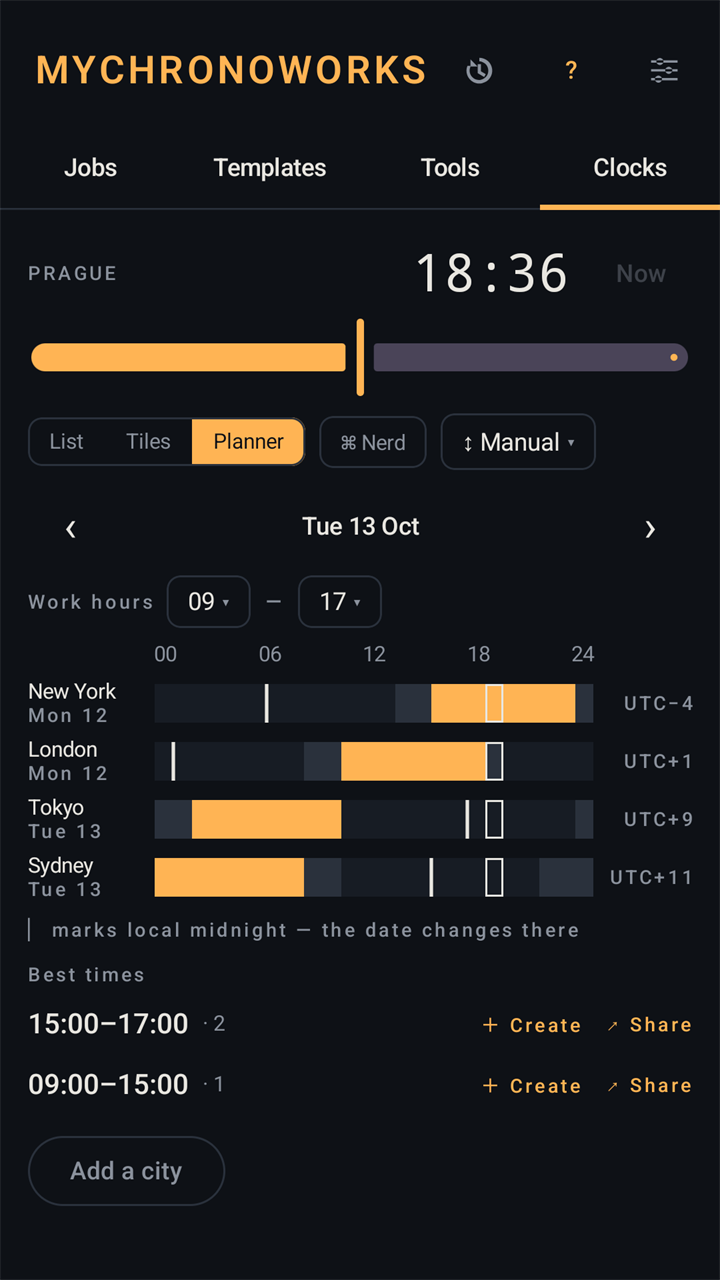
The planner finds the hours that overlap 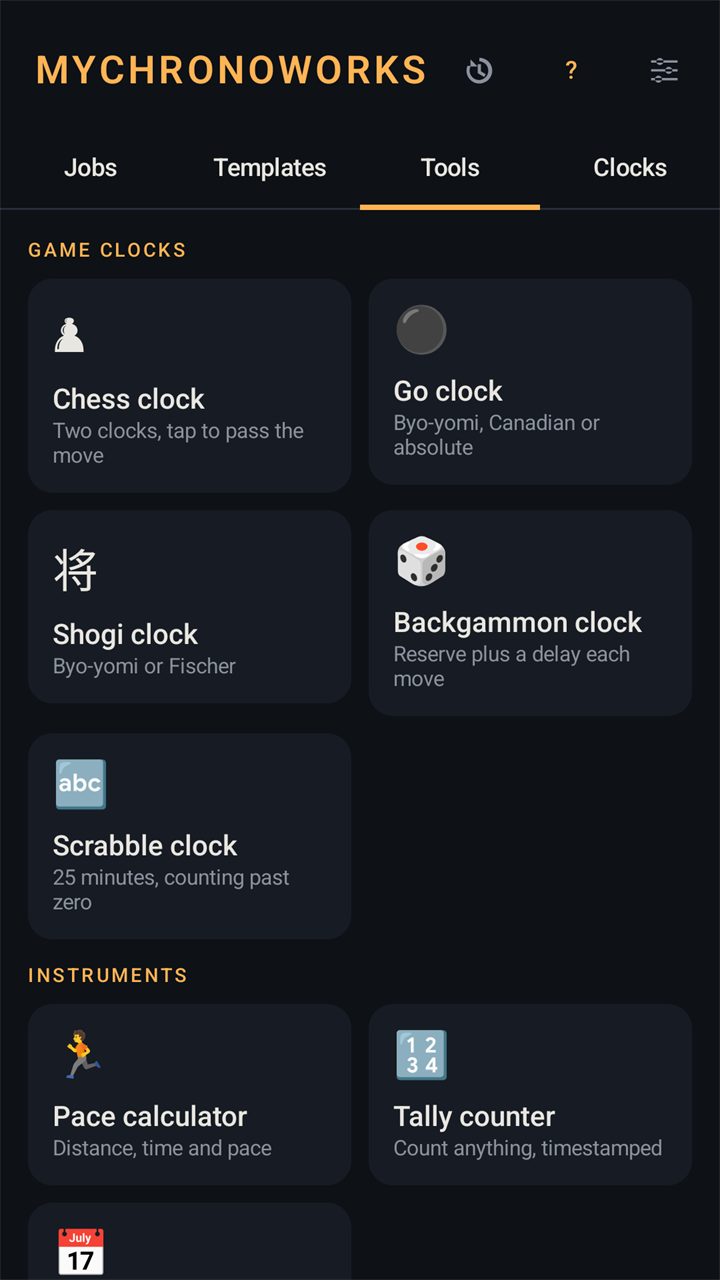
Game clocks and instruments 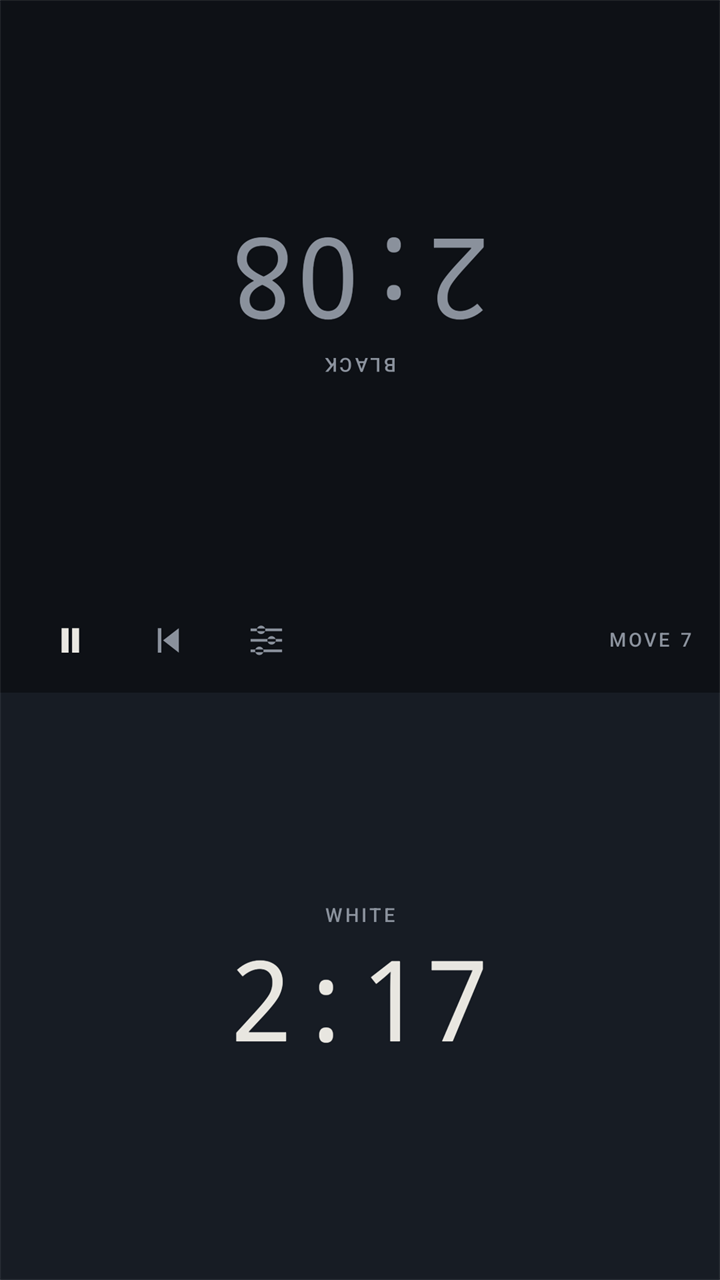
A chess clock for two, one phone between you
Good to know
- The app is in English, Čeština, Deutsch, Español, Français, Italiano, Português (Brasil) and Slovenčina.
- It works completely offline and has no internet permission: nothing you make can leave your phone unless you export or share it yourself.
- The microphone is used only for clap and sound triggers, and only while the app is on screen. Nothing is recorded or stored.
- No ads, no analytics, no account.
- It runs on Android 12 and newer.
Scrabble and Pomodoro are trademarks of their respective owners. MyChronoWorks is an independent app and is not affiliated with or endorsed by them.
Questions and answers
Does MyChronoWorks need an internet connection?
No. Everything works offline, and the app has no internet permission at all. Nothing you make can leave your phone unless you export or share it yourself.
Why does the app ask for the microphone?
Only for sound triggers: a clap, a whistle or a loud noise that starts a job, or a clap during a run. If you never use them, you are never asked. It listens only while the app is on screen, and no audio is recorded, stored or sent.
Will my timers fire on time when the phone sleeps?
Yes. The app sets exact alarms and keeps a running job alive with a foreground service, so cues fire on time while the phone sleeps, and a running job picks up again after a restart. If your phone holds background apps back, the ChronoLab screen shows it: it checks exact alarms, notifications and battery optimization, and runs a 60-second self-test that shows how many milliseconds late a cue fired.
Can I move my jobs to a new phone?
Yes. Export jobs writes all your jobs and groups to one file, and Import jobs reads it back after showing what it contains. You can also share a single job with a friend.
Does the world clock use my location?
No. The city list is built into the app, and places you add yourself are entered by name and coordinates.
Which languages does it speak?
Eight: English, Čeština, Deutsch, Español, Français, Italiano, Português (Brasil) and Slovenčina.
What is a cue that did not sound?
The finish ring uses the alarm volume, ticks and speech use the media volume, and a conditional cue may have taken its other branch. The run's event log in History shows which one fired.
What does it cost?
Nothing. MyChronoWorks is free. There is nothing to buy in the app, no subscription and no advertisements.
Coming to Google Play
MyChronoWorks is not listed on Google Play yet. This page will carry the link as soon as it is.
Questions or feedback: enlyzr@gmail.com